Automation Studio

Automation Studio

Recommended Skill Levels: High School, Technical College, University

Learning Topics: Automation, Automotive & Transportation, Engineering, Industrial Technology

Product Types: Software

Back to Catalogue
Overview Learning Outcomes Product Details
Overview

Train future technicians and engineers on hydraulic, pneumatic, electrical and PLC systems through simulation!

Automation Studio is a dynamic and powerful simulation software that enables students to create or reproduce electrical, fluid power and automation systems in the virtual world. With multiple libraries and thousands of symbols, Automation Studio can be an asset to any mechatronics, industrial maintenance, diesel, agriculture, heavy equipment, automation, electrical, mechanical engineering, automotive, energy or aviation program.

Add To My Products

Learning Outcomes

This unique software offers animation, simulation, intuitive design, and system analysis in a user-friendly environment. Students can design, test and simulate circuits and systems in a controlled digital environment before implementing their systems in the real world.

  • Hydraulics
  • Pneumatics
  • Programmable Logic Controller (PLC)
  • Digital Electronics
  • Electrotechnical One-line
  • Electrotechnical
  • Electrical Controls
  • HMI and Control Panels
  • Sequential Function Chart (SFC/GRAFCET)
  • Block Diagram

Simulation software enables students to learn systems design through:

  • System Behavior Analysis
  • Circuit Modification During Simulation
  • Trouble Shooting Module
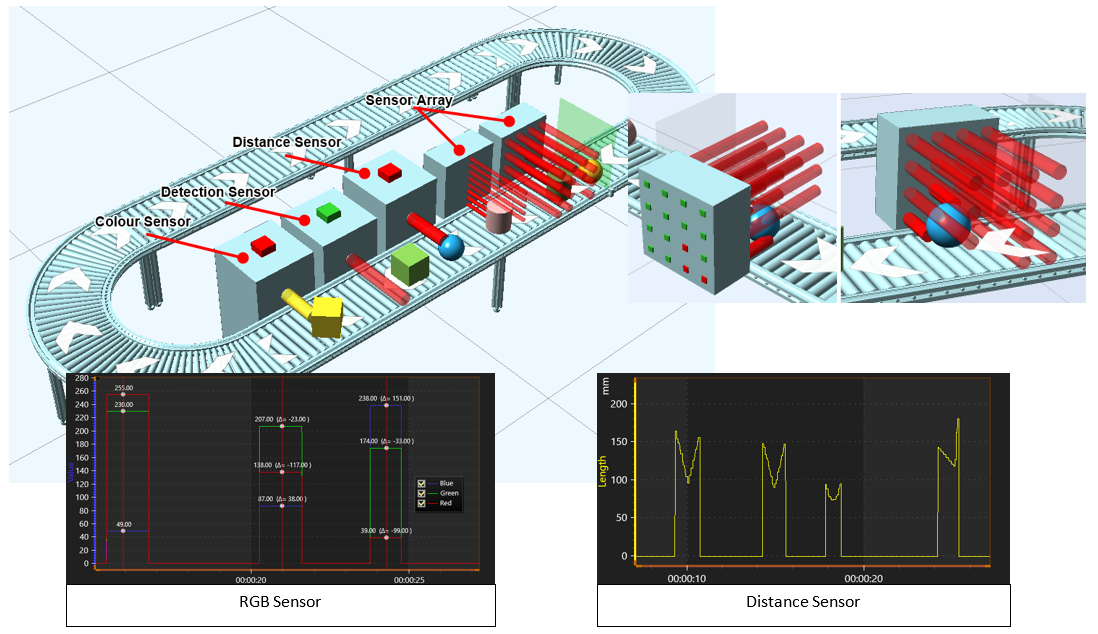
  • Diagnostic Tools
  • Interfaces to Programmable Logic Controllers (PLCs) and Equipment
  • CAN Bus Links to Operate Virtual Machines
  • Automation Studio PLC Export

Curriculum

Teaching Resources: Automation Studio Educational Edition uses software that can be accessed for students and teachers at home or in the classroom. This software includes teaching aids such as course materials, guides, lectures, animations, and lab notes.

Technical Support Plan: Automation Studio provides unlimited Technical Support via phone, fax, email or through the tech support portable. There is also a 2 hour online Training Session included along with the manufacturers’ catalog.

Automation Studio Details

Automation Studio software has a wide range of flexible capabilites:

  • Configuration Tools
  • Component Sizing
  • Creating or customizing your Own Symbols, Libraries and Templates
  • Dynamic, Realistic and Visual Simulation
  • Adjustable Component Simulation Parameters
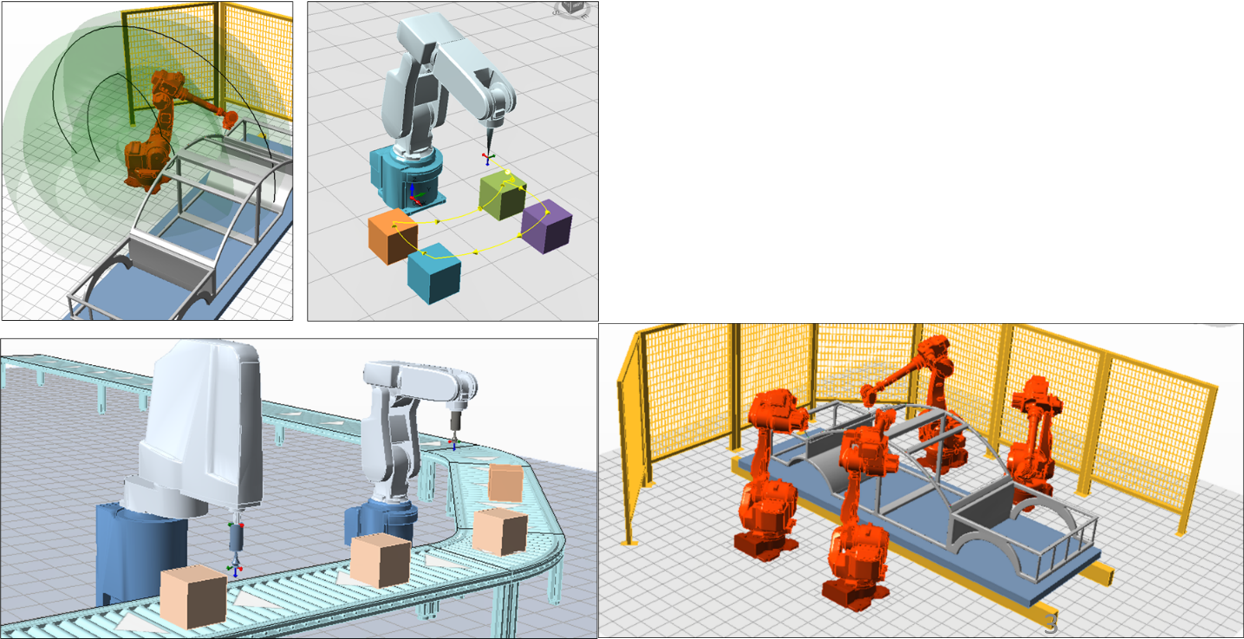
  • 3D Editing Animation
  • Mechanical Links
  • Virtual Systems
  • Cross-Section Animation

The Automation Studio license package includes:

  • Online remote access licensing for both students and teachers
  • Teachware – such as course materials, guides, lectures, animations, and lab notes
  • Interactive lab exercises
  • Workflow that allows teachers to create and sequence content without programing knowledge
  • Includes text to speech for voiced instructions to exercises

Check out what’s new in Automation Studio 8.0!

  • Premade virtual trainers for electrical, motor control, pneumatics, relay control, automotive, renewable energy, PLCs and more!
  • Flexible, realistic links with direct access to link type
  • New illustrated libraries to extend your ability to create digital twins
  • Online manufacturers’ catalogs to quickly access components into your schematic, right from your browser
  • Improved 2D animation interface and 3D virtual systems

Get a quote for Automation Studio

Click "Add To My Products" below to add this product to your request for information. Feel free to keep searching our catalog and add more products to your inquiry list. When you're done, click the "My Products" button at the top right of your screen to complete your request.
More Resources
Video Resources
Short introduction to Automation Studio™
Interface - Interface Overview - Automation Studio™